
Manage Linux servers centrally – over SSH Open Source
LCM (Linux Centralized Management) keeps an eye on all your servers and enforces your rules – at its core over nothing but SSH. A single binary, every feature free; enterprise adds vendor support.
What is LCM?
LCM is our tool for managing Linux servers centrally. It connects to your systems over SSH – with host key confirmation and a zero-trust approach in which every server gets its own service user and its own key pair. Nothing needs to be installed on the servers themselves.
The entire system sits in a single binary that runs on Linux, Windows and macOS – with no cloud dependency and no external database. Your data stays where it belongs: with you.
What LCM takes off your hands
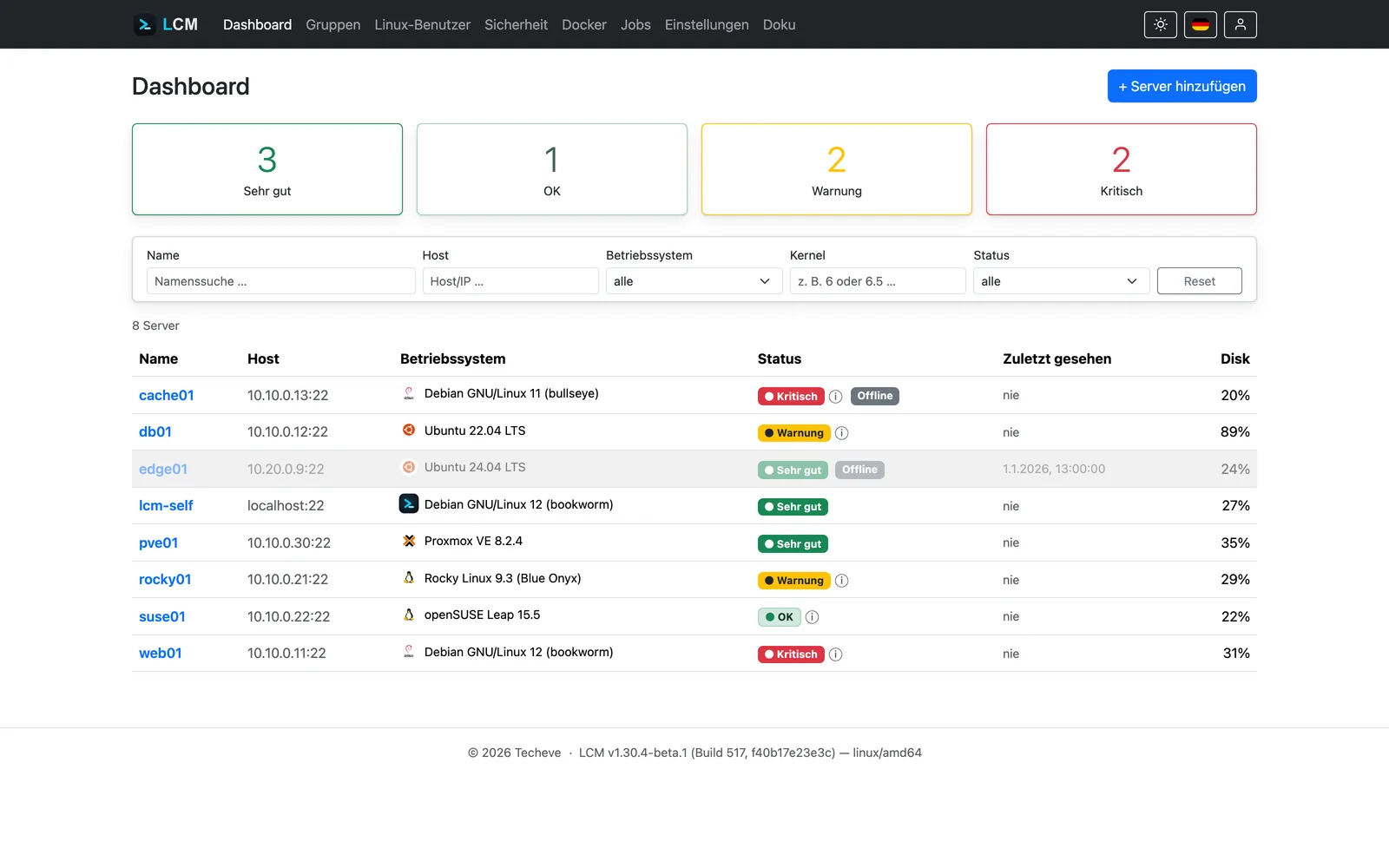
Status indicator & monitoring
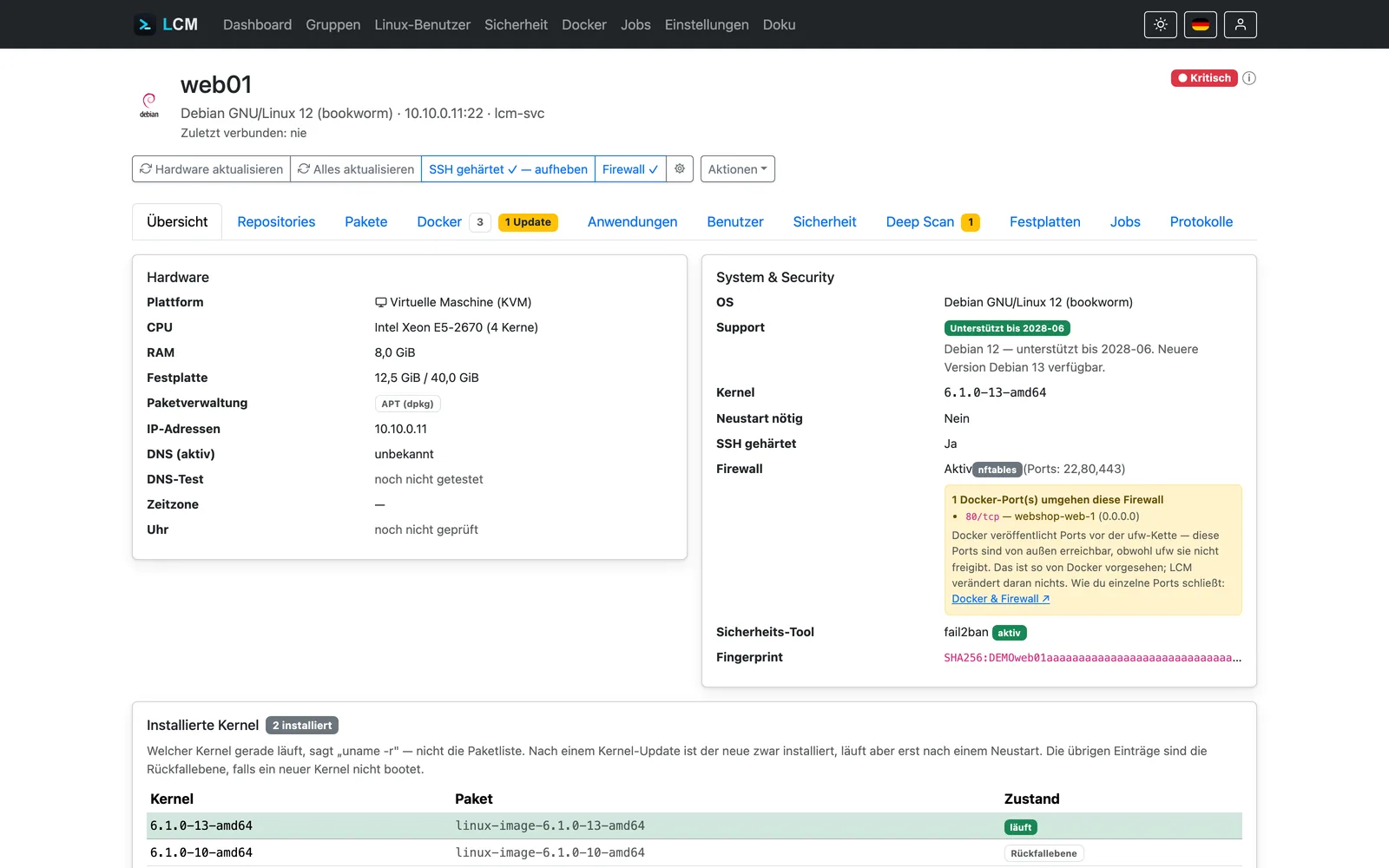
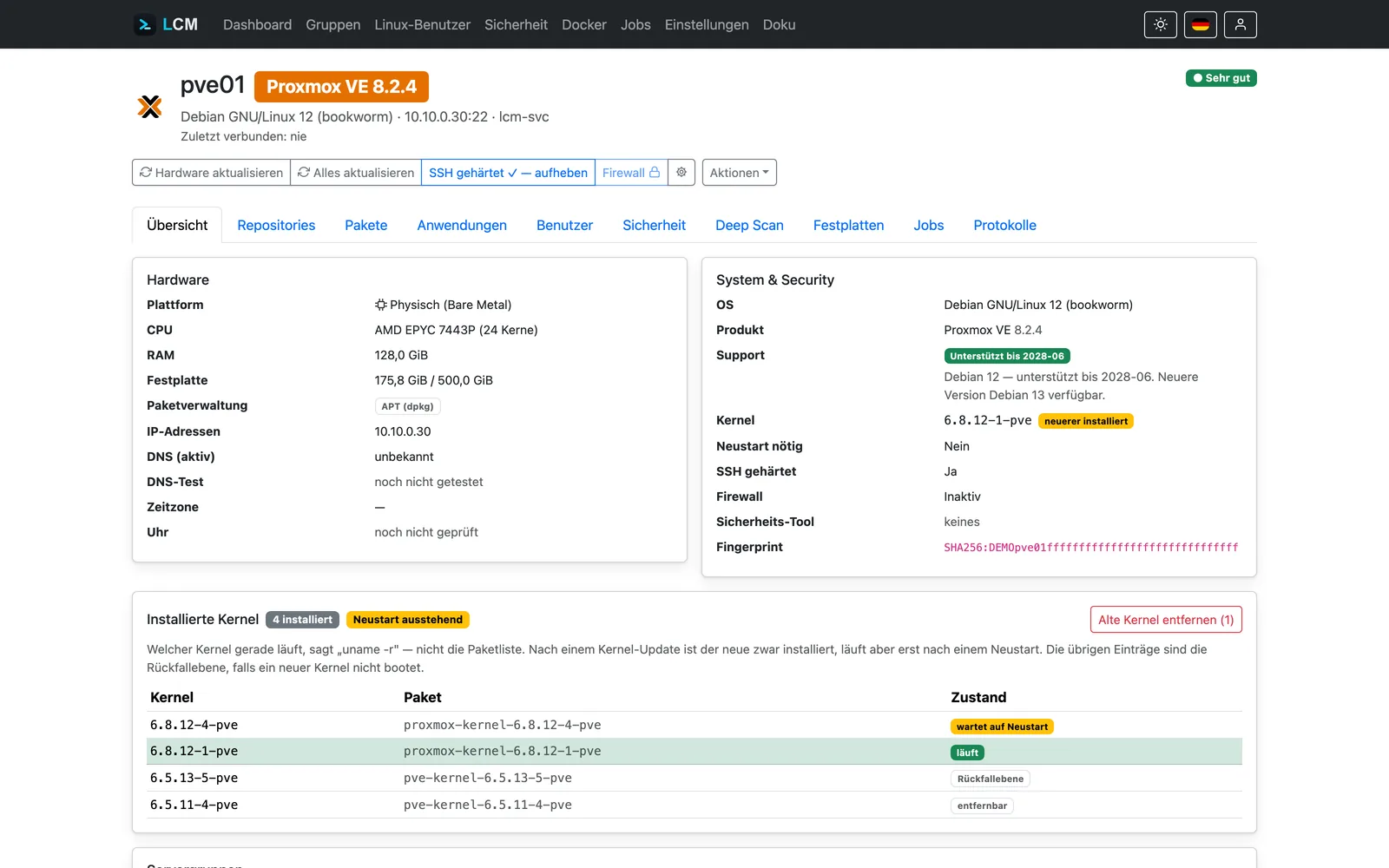
Packages, updates, repositories and hardware of every server – condensed into one clear indicator. Plus the storage trend with a forecast: LCM projects when a disk will run short, before it happens.
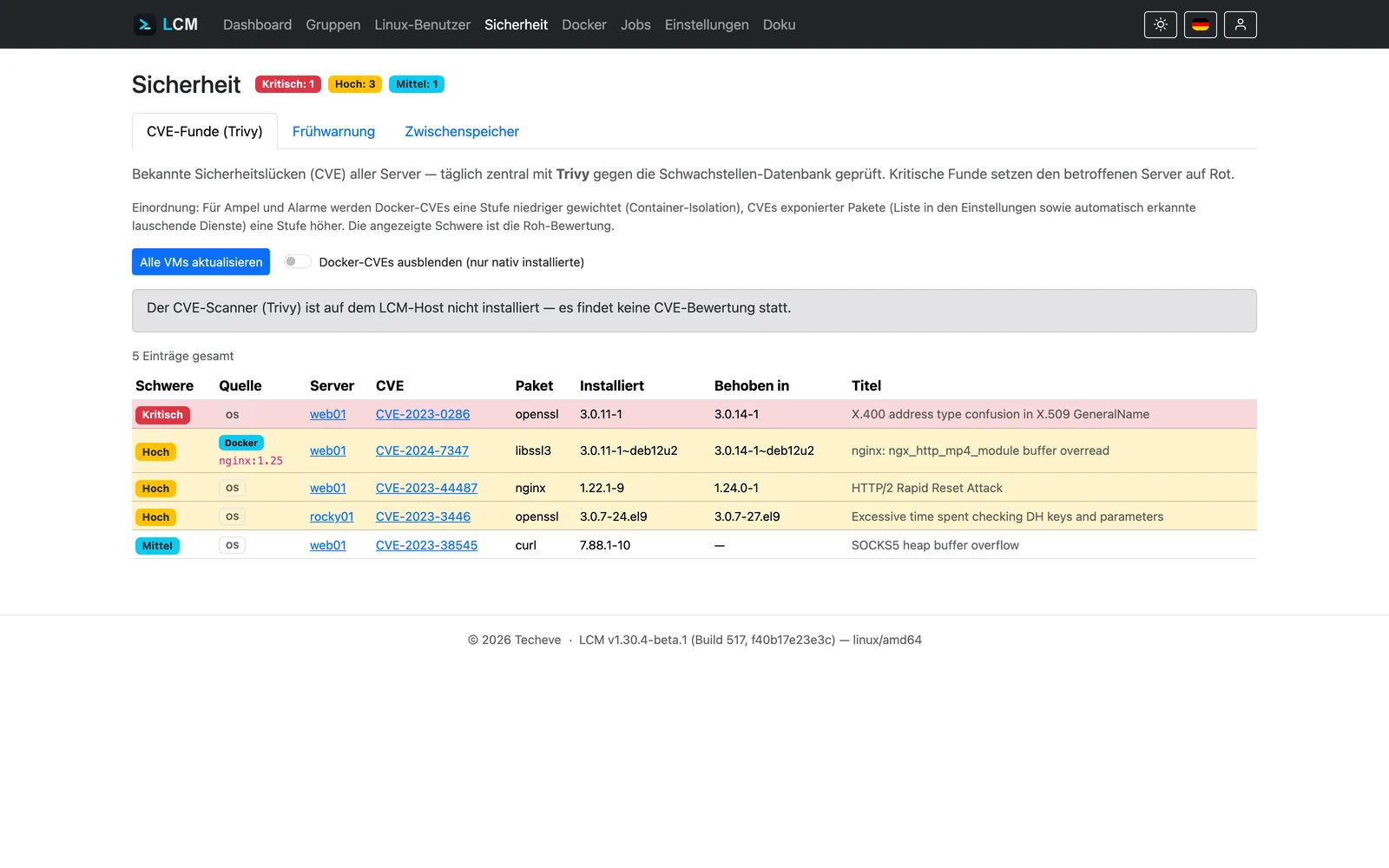
CVE scan & deep scan
The centrally recorded package inventory of all servers is checked daily against the Trivy vulnerability database – without load on the target systems. The deep scan adds kernel checks and a hardening audit; every run is archived as a dated report.
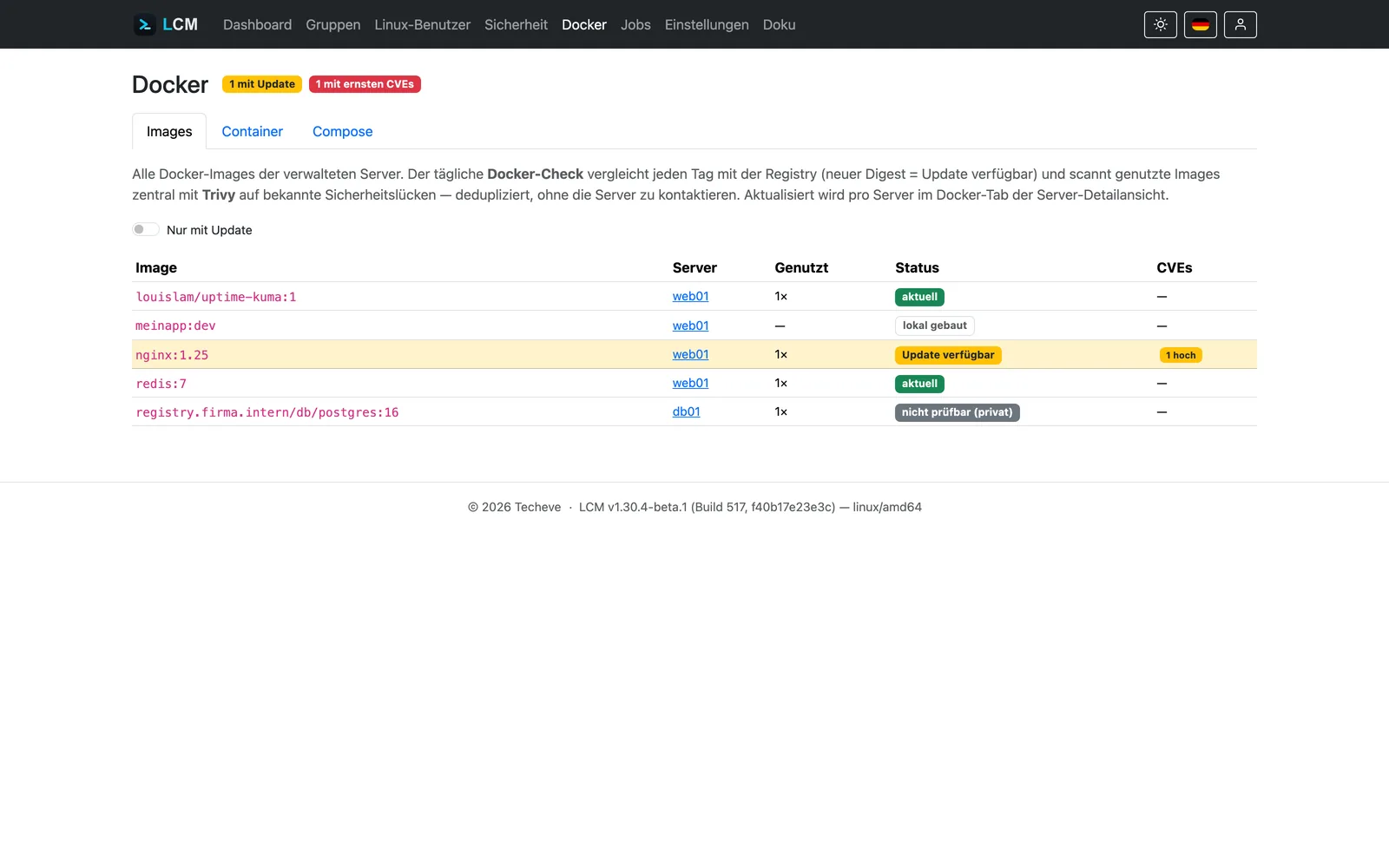
Docker under control
Containers, compose projects and images across all servers at a glance. LCM checks the registry to see whether a newer version sits behind an image tag, scans images for vulnerabilities and updates compose stacks at the push of a button.
Security without compromise
Encryption at rest (AES-256-GCM), two-factor authentication via TOTP, firewall management for ufw, firewalld and nftables, intrusion prevention with fail2ban or CrowdSec – and every action lands in the audit log with a tamper-evident hash chain.
Automation with rules
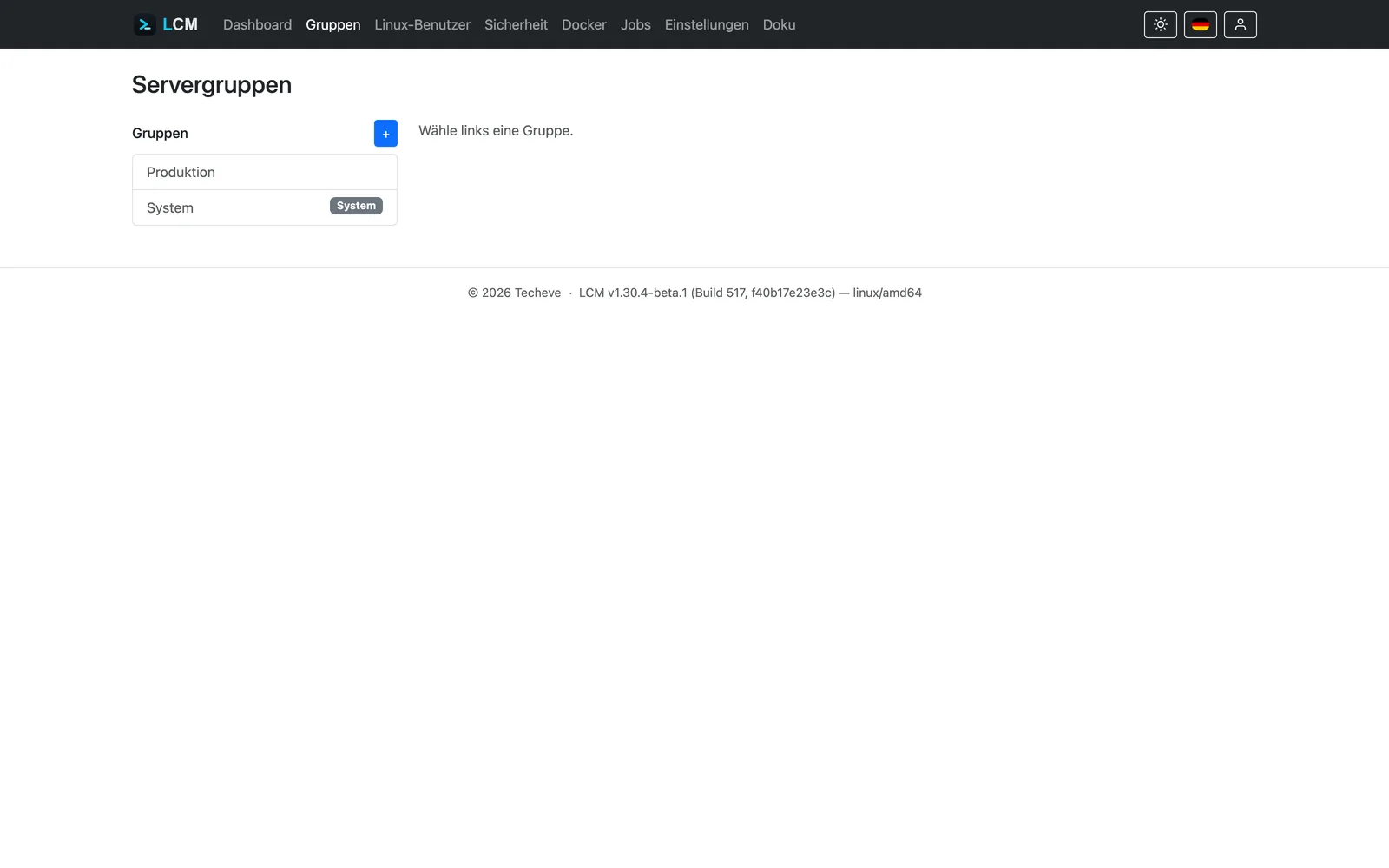
Group your servers and attach policies: updates, scripts, firewall rule sets, package cache. LCM enforces them automatically on every connection and detects deviations before they become a problem.
SSH at the core – agent optional Beta
By default LCM speaks plain SSH, with nothing installed on the target systems – with host key confirmation, its own service user and its own key pair per server. For servers behind NAT or without reachable SSH, the LCM agent (beta) builds the connection from the inside.
More features
Backup & restore
Passphrase-encrypted full backups on a schedule – restorable onto a fresh instance as well.
Updates with pins & holds
Roll out overdue updates across the estate – with package pins and version holds for anything that must not be touched.
Central package cache
With apt-cacher-ng your servers download updates from the internet only once – faster, leaner, more controlled.
Alerts that arrive
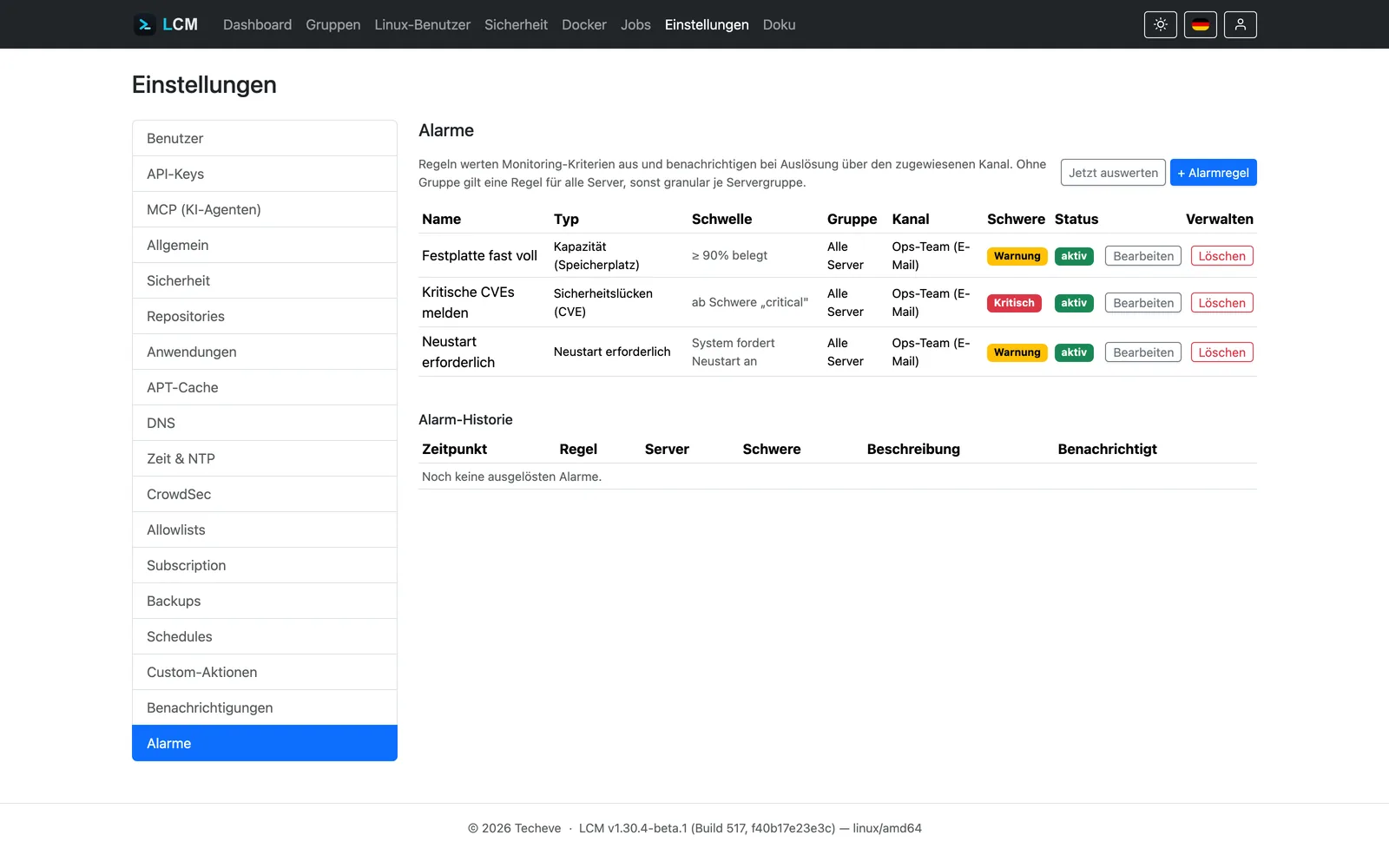
Rules for disk space, storage forecast, CVE findings and heartbeat – by email or webhook, for instance straight into Microsoft Teams.
User provisioning
Maintain users and SSH keys centrally – LCM distributes the access to servers and groups automatically.
Time zone & NTP
Set time zone and time servers centrally – for chrony, systemd-timesyncd or ntpd, with proof of synchronisation.
SSH hardening & mode
Certificate-based login and, if you wish, a restricted mode that only permits validated commands.
MCP interface
LCM as a tool for AI assistants – your server estate becomes queryable in natural language.
Bilingual & dark mode
The entire interface in German and English, with a colour scheme that follows your system.
Runs with what you already use
Fully supported
- Debian
- Ubuntu
- Proxmox VE
Beta
- Arch Linux
- Alpine
- Fedora
- Red Hat Enterprise Linux
- Rocky Linux
- AlmaLinux
- openSUSE
- Synology DSM
- MikroTik RouterOS
Strictly speaking Proxmox is not a distribution, but it belongs here: LCM detects Proxmox VE, Backup Server and Mail Gateway automatically and treats them accordingly. Beta means, in our words: usable, labelled, honest. The LCM agent for servers behind NAT carries the same label – response time commitments do not apply to beta features.
LCM in numbers
runs on Linux, Windows and macOS – no installation, no dependencies.
every server gets its own service user and its own key pair.
from download to the first connected server – see the quick start in the documentation.
Every feature. Every server. Free.
The community edition is the full feature set – no server limit, no restrictions. Enterprise adds vendor support, not features.
Community
The full feature set – for everyone, forever.
0 €unlimited servers, every feature
- No server limit, no feature limit
- Updates through the APT repository
- Community support & documentation
- Beta features included (labelled)
Basic
Predictable vendor support for production use.
€940.10per year · 10 servers included · incl. VAT
+ €702.10 per year for each additional 10 servers
- Everything from Community
- Email support (8×5)
- Response time: next business day
- 1 named contact
- LTS release branch & air-gap activation
Standard
Fast help and active service for critical environments.
€3,510.50per year · 25 servers included · incl. VAT
+ €1,059.10 per year for each additional 10 servers
- Everything from Enterprise Basic
- Phone & email support (8×5)
- Response time: 4 hours
- 3 named contacts
- Onboarding session & annual operations review
- 24×7 standby as an add-on
Billed annually. From 500 servers upwards we prepare an individual quote. For early customers: 20 % off the first enterprise year and a 24-month price guarantee. Response time commitments do not apply to beta features.
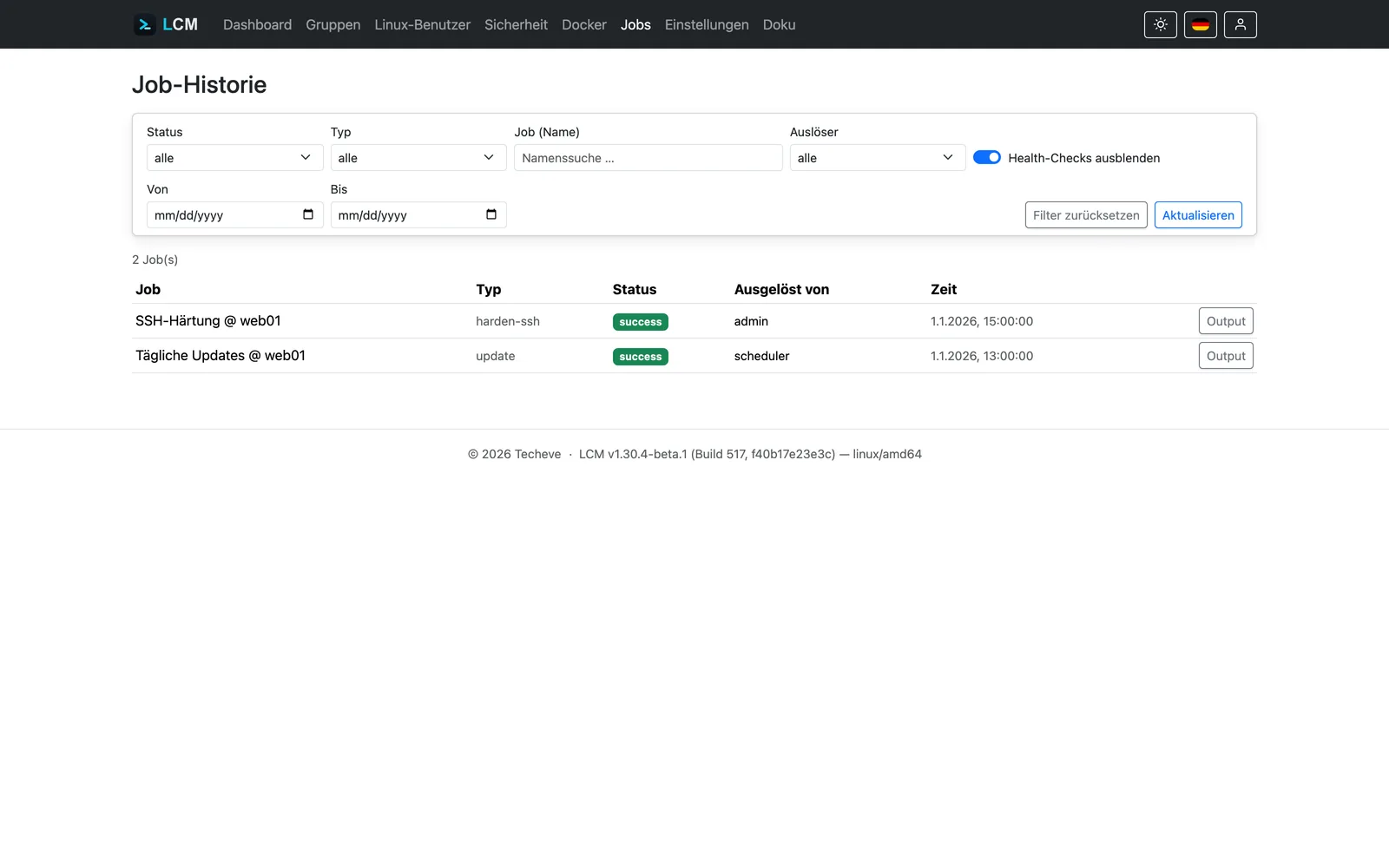
This is what LCM looks like
A tour of the interface – captured in the demo mode that ships with LCM, using simulated test data.
The demo system is reset once a day and limited in functionality – outgoing connections and changes to accounts are blocked. The login details are shown on its sign-in page.
Documentation & project
From the overview through installation (binary, .deb package or Docker) to the quick start that connects your first server in five minutes – everything else is in the documentation.